The upscaling key — fal.ai
Optional, but it changes the economics. Shoot at 480p and upscale the takes you keep: a native 1080p take costs about $1.87, while 480p plus upscaling comes to roughly $0.45 for the same result.
This is a guide for Longtake — a studio that renders on your own key, with nothing added on top.
-
Create an account
Sign in at fal.ai with GitHub, Google or SSO. No separate registration form.
-
Create the key
Go to fal.ai/dashboard/keys → Add key → give it a name → Create key. It is shown once, so copy it right away.
Paste it into the studio: account menu → API keys → the upscaling field.
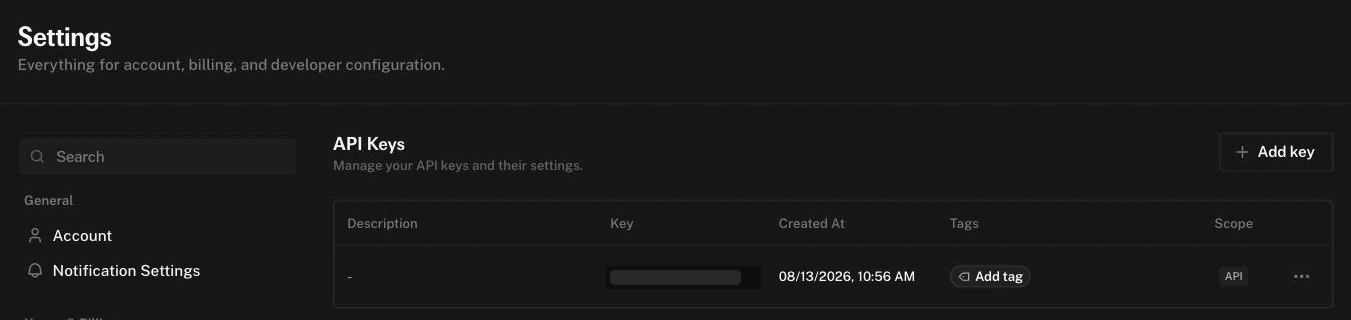
Settings → API Keys: Add key is on the right, Billing in the left menu. -
Top up the balance
Billing is pay-as-you-go, no subscription. $5 covers something like fifty to a hundred upscaled takes, depending on which engine you pick.
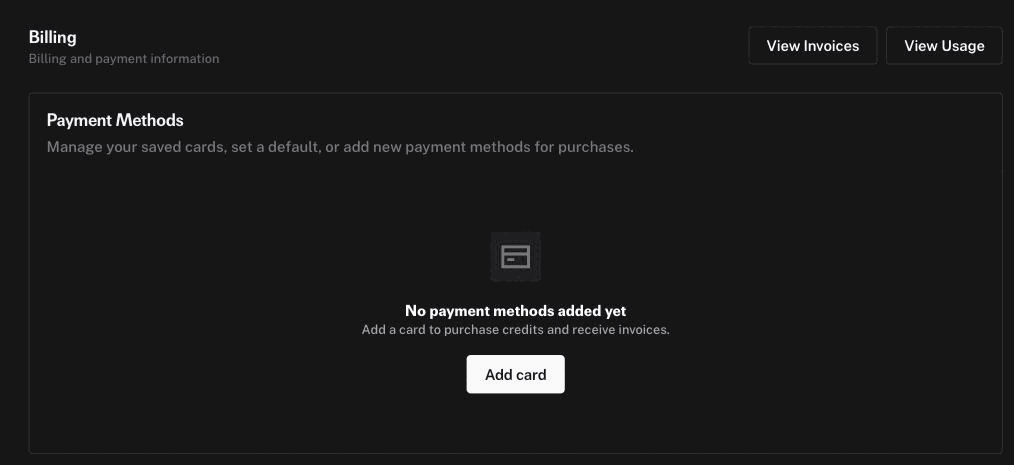
Billing → Add card. Until a card is added, upscaling has nothing to spend. -
Upscale a take
Open a finished take in the studio and press Upscale. Seven engines, priced per five-second take at 1080p:
- Standard — $0.04, ByteDance with the preset made for generated footage. The sensible default.
- Pro — $0.36, same engine at its top tier.
- Proteus — $0.10, Topaz all-round, stays close to the original frame.
- Starlight — $0.10, Topaz diffusion — redraws detail, strongest on faces.
- Gaia HQ — $0.10, Topaz gentle, for takes that are already clean.
- SeedVR2 — $0.25, the open model that rebuilds detail the generator never rendered. Slow.
- FlashVSR — $0.12, half of SeedVR2 and minutes instead of tens.
The last two are billed per megapixel of video rather than per second, so their price moves with the frame and the length. The same key also pays for Smooth to 60 fps — its own item in the take's menu, about $0.15 for five seconds, frame interpolation that leaves the resolution alone.
The upscaled copy is kept alongside the original, with an SD/HD switch over the video — upscaling can smear faces, and the original must stay reachable.
When something doesn't work
- "fal.ai rejected the key"
- The key is wrong, revoked, or copied with a stray character. Create a new one — they are free and unlimited.
- Upscaling starts and then fails
- Usually an empty balance. Check billing on fal; the studio surfaces the engine's own error text.
- Can I attach a reference photo to guide the upscale?
- No — none of the engines accept images or prompts, only video. Upscalers rebuild detail from the frame itself; there is no input for "this is what the person actually looks like".
- How long does it take?
- Roughly 10–30 seconds of processing per second of video, so a five-second take runs one to three minutes. The studio shows a live badge and keeps working while it runs.
Key in hand? Paste it into the studio — account menu → “API keys” — and upscale a finished take.
Open studio →Other keys the studio can use: